
Virtual reality is a computer generated tool that enables a simulated experience through a view of artificial environments that allows the user to perform in real time via an interface (Steuer, 1992).
Virtual reality is becoming increasingly used in education. VR platforms such as google street view and google cardboard give teachers the ability to provide their students with realistic, visual and in depth information that surround the ideas and concepts that they aim to teach (Pilgrim & Pilgrim, 2016). These interactive platforms foster the imagination, creativity and motivation of students when integrated into classroom settings (Pilgrim & Pilgrim, 2016).
Google Street View
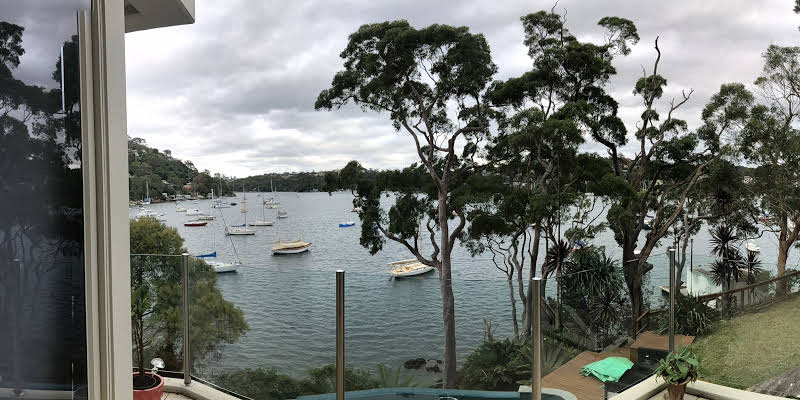
Google street view is a free platform featured in google earth and google maps that allows its users to see, create and share photospheres or panoramas of streets and their surroundings (Anguelov et al., 2010). Google street is an immersive platform that can give beginners or users that are new to VR an outlet to create their own virtual reality of their own surroundings. Google street view can be integrated into a visual arts class; students are currently learning about the Indian art culture so they are to search in google street view in India and find a place that they would like to paint, for example a temple. Google street view also allows you to create your own 360-degree images, these images can then be published or downloaded onto your laptop / phones. For example, if you create a 360-degree image on google street view, you can then upload it onto ‘CoSpaces’ and create your own Virtual world / game.
Google Cardboard

Google cardboard is a VR platform created by Google which can be used on the majority of smartphone devices and tablets (Lee et al., 2017). Google cardboard is inexpensive and simple making this platform considerably suitable in the classroom (Lee et al., 2017). All you need to do is insert the device and connect it with a VR app (e.g. google street view), and the virtual world will be generated – reiterating the simplicity of the product (Brown & Green, 2016). However, google cardboard may be more appropriate for high schools students rather than younger students in primary school. Google cardboard only works with devices of similar size as an iPhone or Samsung, there fore iPads will not work. Therefore, making it difficult integrating this into a classroom of younger students who do not have phones.
References
Anguelov, D., Dulong, C., Filip, D., Frueh, C., Lafon, S., Lyon, R., … & Weaver, J. (2010). Google street view: Capturing the world at street level. Computer, 43(6), 32-38.
Brown, A., & Green, T. (2016). Virtual reality: Low-cost tools and resources for the classroom. TechTrends, 60(5), 517-519.
Lee, S. H., Sergueeva, K., Catangui, M., & Kandaurova, M. (2017). Assessing Google Cardboard virtual reality as a content delivery system in business classrooms. Journal of Education for Business, 92(4), 153-160.
Pilgrim, J. M., & Pilgrim, J. (2016). The Use of Virtual Reality Tools in the Reading-Language Arts Classroom. Texas Journal of Literacy Education, 4(2), 90-97.
Steuer, J. (1992). Defining virtual reality: Dimensions determining telepresence. Journal of communication, 42(4), 73-93.
 Welcome to Lilys Blog
A great post Lily, really interesting way of using Google street view in the classroom. Also liked how you noticed that the google cardboard may be problematic for primary aged students. In your research did you come across any applications for the cardboard that may be useful within the classroom?
LikeLike